

Implant treatment for full-arch fixed restorations has been around for decades now.1–3 The treatment usually involves four to six implants placed in either the maxilla or the mandible, which is then restored with a fixed denture.4 One of the benefits of this treatment is the ability to achieve a new fixed temporary set of teeth on the same day as implant surgery.1–5 This temporary restoration is commonly known as a conversion prosthesis owing to its process of fabrication.5
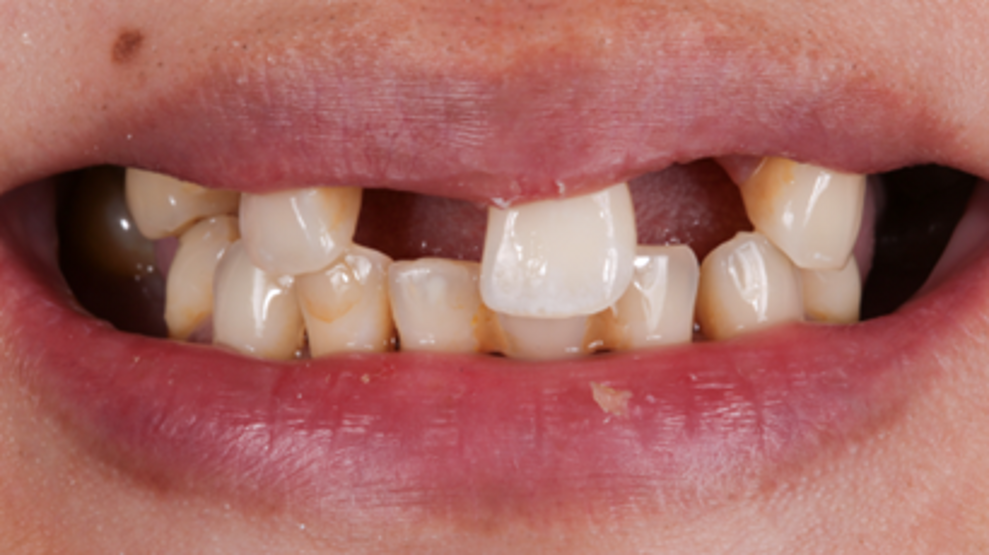
Fig. 1: Initial situation.
Conventionally, a denture is converted to an immediate implant-supported temporary restoration after the implants are placed. Briefly, producing a traditional pick-up conversion prosthesis requires locating the implants relative to the denture, drilling holes in the denture at the implant locations and attaching the temporary abutments to the denture.5, 6 Once the implant abutments have been luted to the denture, it is removed from the mouth. Flanges are cut, voids are filled and the intaglio surface is adjusted to accommodate any bone reduction that may have occurred and to mould the tissue in a certain shape, depending on the design of the prosthesis. Afterwards, the prosthesis is inserted into the mouth. This entire process can be very tedious, messy and time-consuming.7
With digital technology in modern-day dentistry, the process of fabricating an immediate conversion prosthesis can be much improved—in terms of both patient comfort and clinical efficiency. This article will present two cases to showcase a digital workflow for dentate (Fig. 1) and edentulous patients using intra-oral scanning and digital software to fabricate the conversion prosthesis.
Partially dentate case
The digital process starts with a digital wax-up long before the day of surgery. Proper planning for any case is vital to treatment success. Once the tooth positioning has been finalised, a surgical plan can be put in place for implant placement. The virtual wax-up is saved and will be needed on the day of surgery for the digital conversion (Figs. 2a & b).
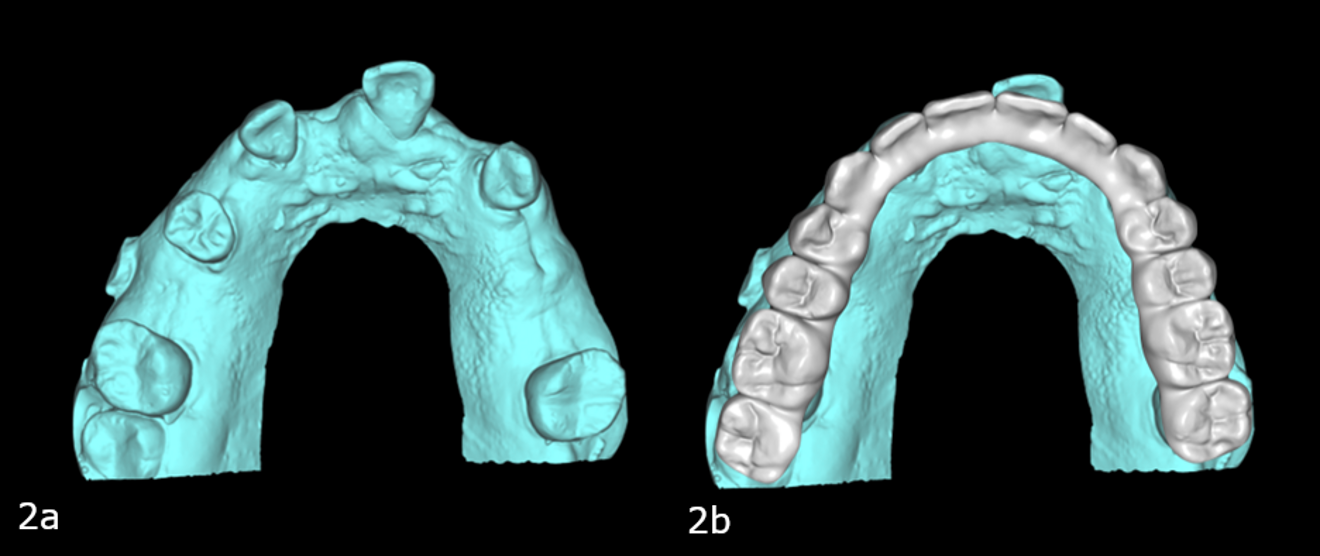
Figs. 2a & b: Pre-op maxillary intra-oral scan (a). Pre-op scan with the digital wax-up (b).
An important factor for digital conversion on the day of surgery is sequencing of both the surgery (extractions and implant placement) and the intra-oral scans. One of the benefits of digital technology is the ability to merge common points from one scan to the next. The basis of the conversion is the proper merging of the implant scan on the day of surgery with the preoperative scan, thus locating the original wax-up on the new implant scan. If no reference points exist between the original scan and the implant scan, there will be difficulty in merging the two scans, and the new implant scan will be lost in 3D space with no way to reference it back. Thus, it is important to determine the reference points prior to surgery with a proper plan. For cases where the patient is still dentate or partially dentate, selective extractions and keeping of specific teeth for reference is an easy way to enable accurate merging of the scans with the preoperative scan.
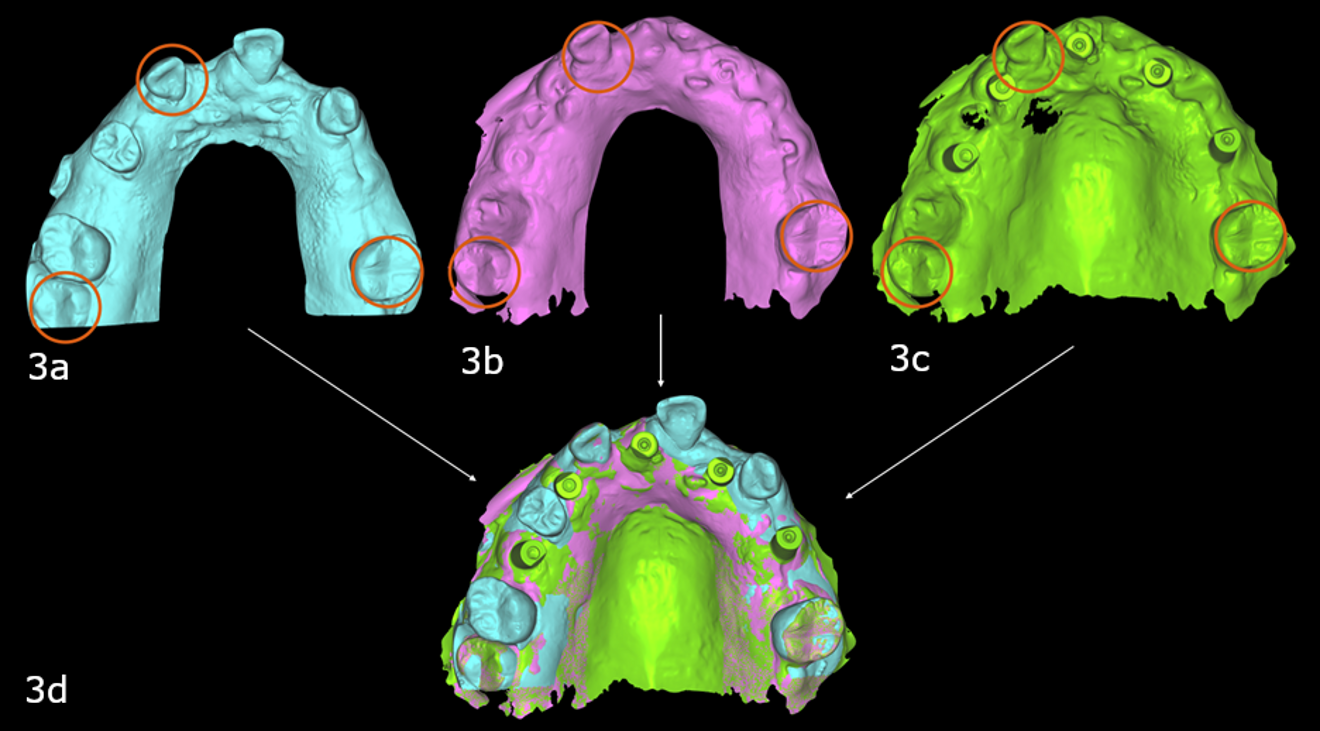
Figs. 3a–d: Selective extraction left three teeth as common points between the pre-op (a), interim (b) and implant intra-oral scans (c) to enable the software to merge the files, locating the implant scan in the same 3D space as the pre-op scan which had the wax-up.
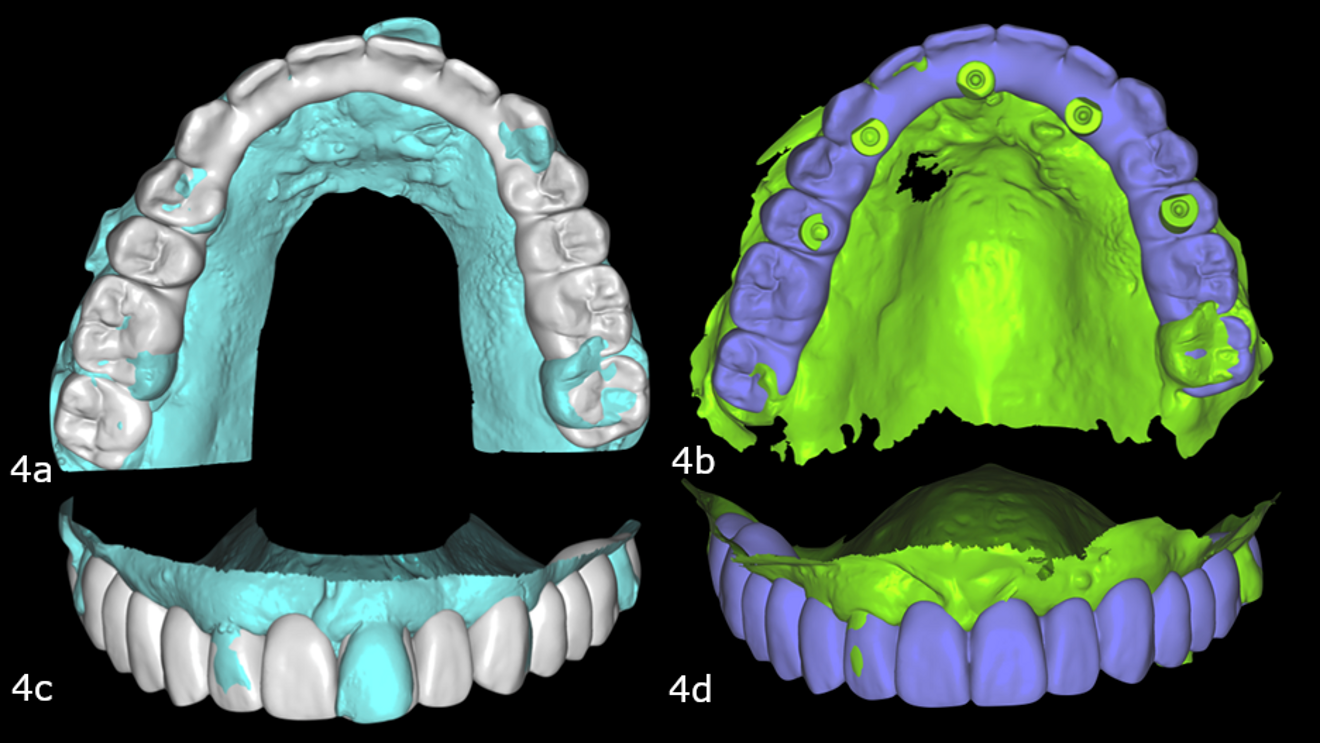
Figs. 4a–d: Pre-op maxillary intra-oral scan with the digital wax-up (a & b) converted to the prosthesis on the implant scan (c & d).
Once the scans have been merged (Figs. 3a-d), the original wax-up can be referenced to the new implant scan. Using dental software (DentalCAD, exocad), the conversion prosthesis can be designed by connecting the teeth in the wax-up to the implants. This process usually takes approximately 30 minutes because most of the design time goes into design of the wax-up prior to surgery (Figs. 4a-d). After the digital conversion, the prosthesis is 3D-printed, processed and inserted on to the immediately placed implants (Figs. 5 & 6).
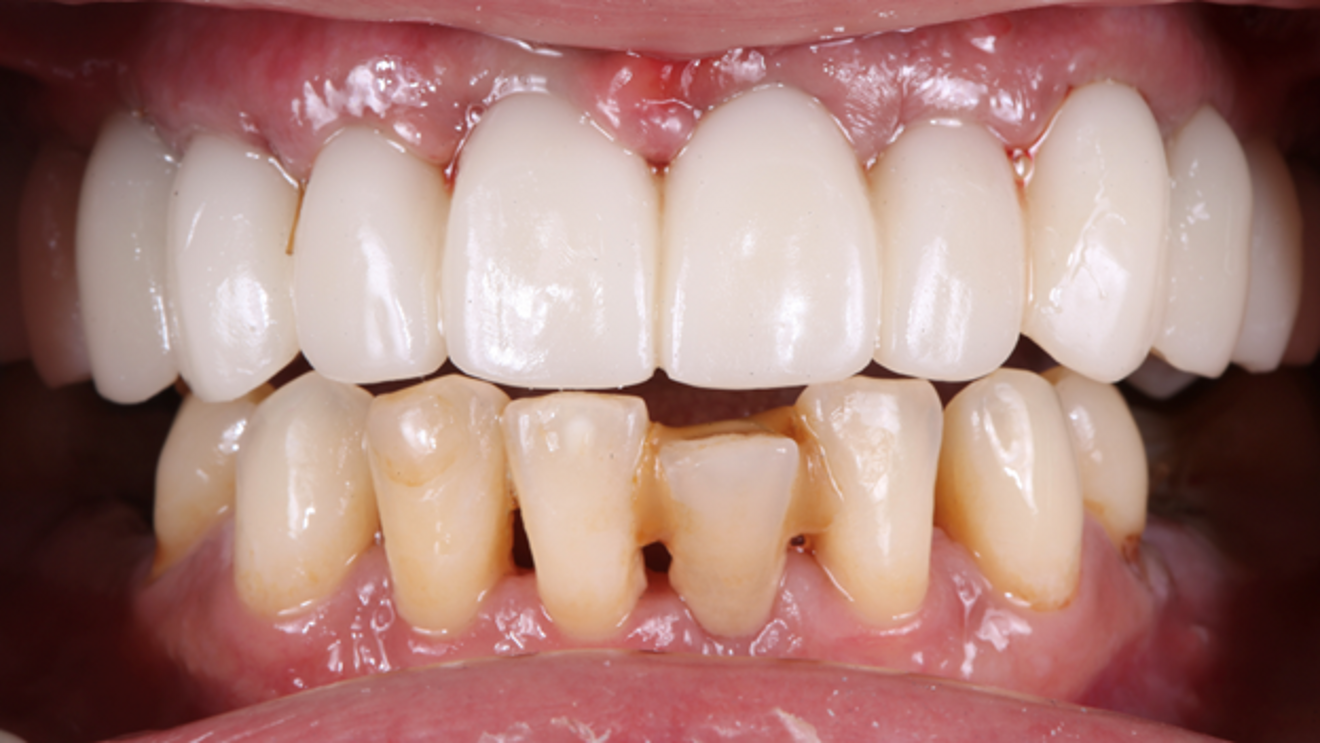
Fig. 5: 3D-printed maxillary prosthesis after insertion on the day of surgery
