Clear aligner therapy has changed orthodontics incredibly in the last 20 years. The number of adult patients has dramatically increased. A survey by the American Association of Orthodontists stated that 4.37% of orthodontic patients in 1960 were adults, compared with 28.31% in 2016—almost seven times higher.1 A survey analysis on the motivation and behaviour of adult orthodontic patients found that 70.4% had undergone treatment for aesthetic reasons and 41.7% for correction of malocclusion, and that 67.7% of the adult patients were treated with aligner therapy.1 Another survey found that the majority of orthodontists (93.13%) offered aligner therapy, which made up 24.17% of their annual orthodontic caseload.2
In modern orthodontics, aesthetic analysis of patients is carried out through macro-, mini- and micro-analysis of dental and facial aesthetics, as described by Sarver.3 Until now, planning in aligner therapy has generally been performed using a dedicated software program, in which tooth movements are planned on a 3D model. The effects of the tooth movements in terms of facial aesthetics could not be visualised though. Recently, the importance of achieving dental alignment prior to restorative treatment in order to enable minimally invasive restorations has been highlighted by Weinstein et al.4 Align Technology has introduced the new Invisalign Smile Architect software program that addresses all these aspects. This article will demonstrate a new restorative workflow that employs Invisalign Smile Architect to plan and execute an interdisciplinary case.
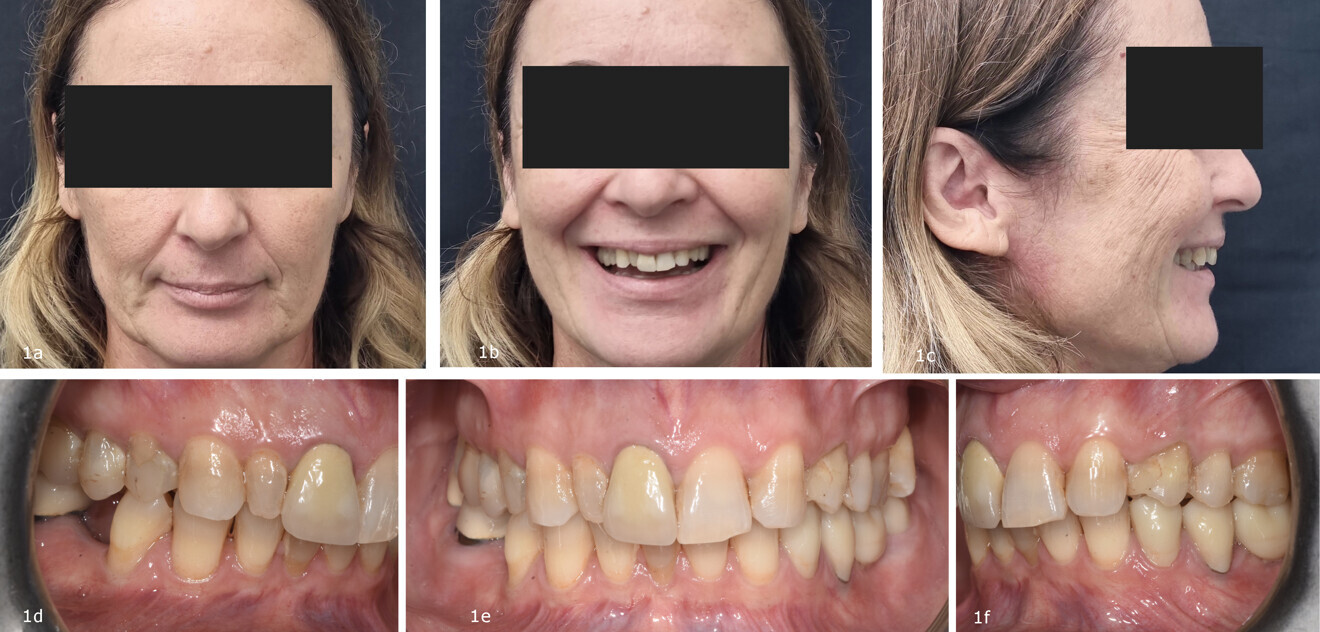
Figs. 1a–f: Initial situation. (a–c) Extra-oral and (d–f) intra-oral views. Extra-oral photos were taken with a smartphone through a dedicated App (Invisalign Practice App, Align Technology).
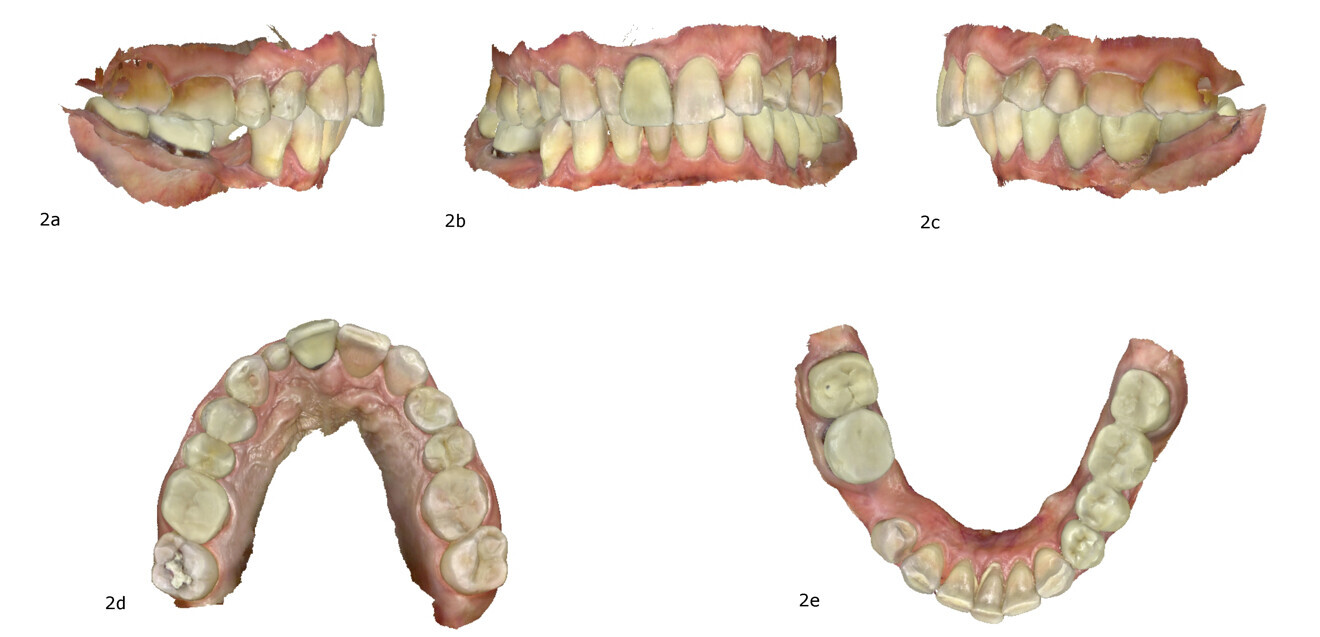
Figs. 2a–e: Intra-oral scan with iTero (Align Technology).
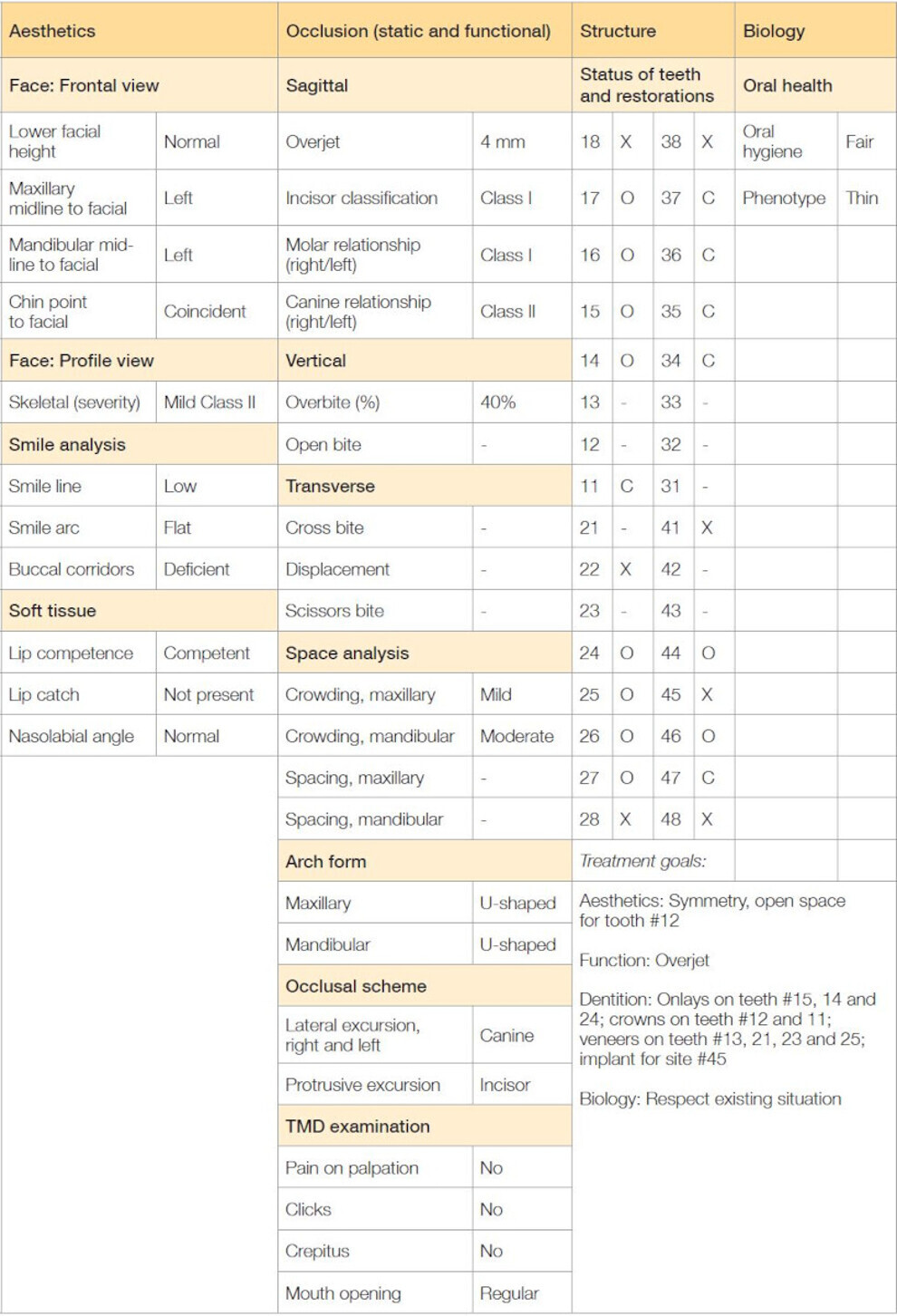
Table 1: Clinical assessment of the case according to the SAFE clinical protocol. O = restoration; X = missing; C = crown.
A 51-year-old patient came to our office to have the aesthetics of her smile improved. Clinical examination was completed, and calibrated extra-oral photographs and an intra-oral scan were taken (Figs. 1 & 2). Radiographic evaluation did not reveal any pathology. The clinical assessment employed the SAFE (stability, assessment, function, ethics) clinical protocol developed by Aulakh to systematically assess the clinical situation, draw up the treatment plan and define the final tooth position when orthodontic treatment is needed (Table 1).5, 6
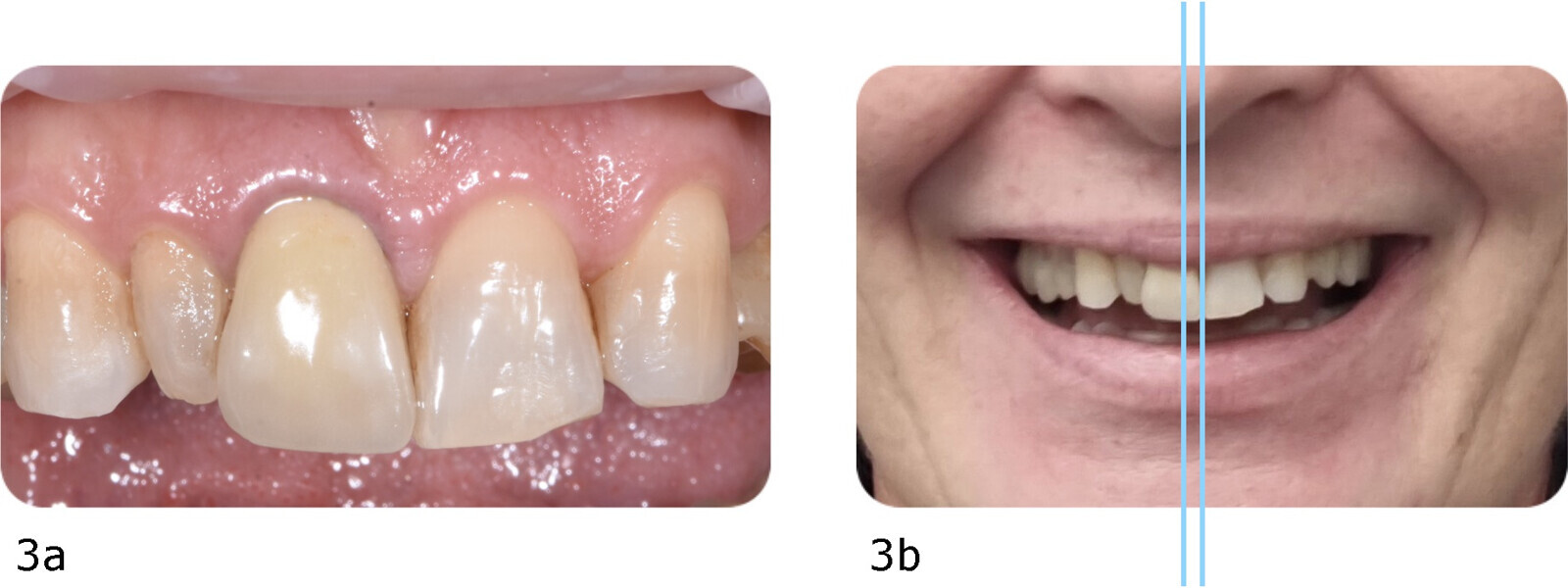
The main issue identified in this case was the peg-shaped maxillary right lateral incisor (tooth #12) and the missing maxillary left lateral incisor. To solve this, two treatment options could be considered: (a) open space for placement of an implant or bonded fixed dental prosthesis to replace the missing maxillary left lateral incisor and prosthetically restore tooth #12, followed by restoration of all aesthetic areas; or (b) open space for prosthetic restoration of tooth #12 and prosthetically transform the maxillary left canine (tooth #23) into a lateral incisor and the maxillary left first premolar (tooth #24) into a canine, followed by restoration of all aesthetic areas. In this case, there were favourable factors for the second option: a low smile line, central incisors with large dimensions and a deviation of the midline (consequent to agenesia) of < 4 mm, which is considered acceptable by patients (Fig. 3).7 Therefore, aligner therapy using Invisalign Go Plus (Align Technology) was proposed to create adequate restorative space. Invisalign Go Plus allows movement from the right first molar to the left first molar in both arches within defined treatment limits.
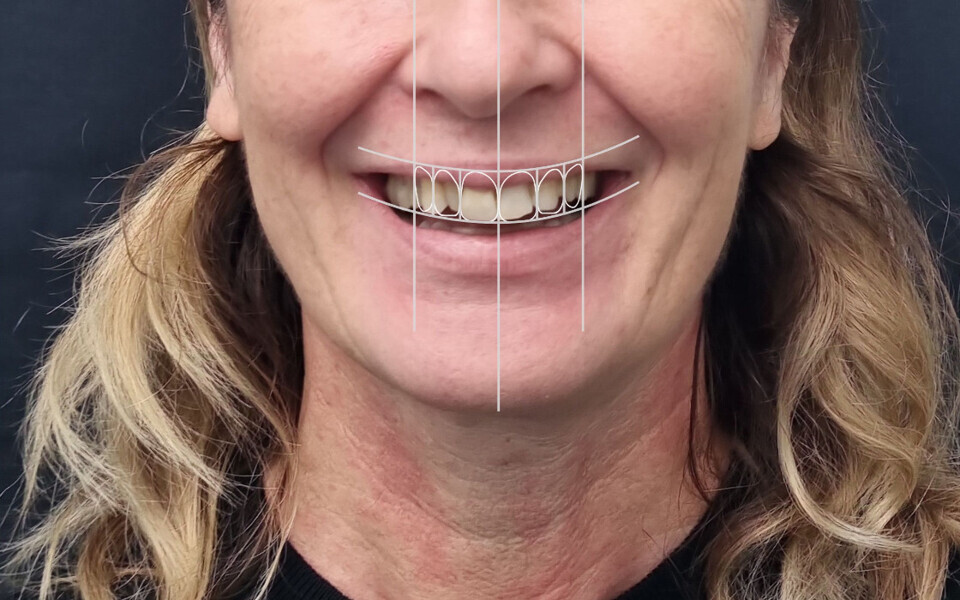
The intra-oral scan and photographs were sent to Align Technology, requiring the use of Invisalign Smile Architect. Invisalign Smile Architect runs ClinCheck, the software used to plan tooth alignment, adding several tools. The software automatically superimposes the 3D model on the 2D photographs of the patient smiling broadly, making it possible to visualise the impact of the final tooth alignment on the patient’s face. Facial lines, as applied in classical complete denture treatment, help relate the position of the teeth to key aesthetic references, such as the facial midline, smile line and rest position. These lines are highly valuable for determining the final tooth position from an aesthetic perspective and can be immediately assessed and adjusted using 3D Controls—interactive tools that allow precise changes to tooth position, angulation and attachments—during modifications in the ClinCheck software. Facial lines are added by the software, but users can modify their position whenever they want. This was done in this case, for which it was decided to accept the deviation of the midline (Fig. 4).
Tooth alignment was planned to create space for tooth #12 and to improve both the increased overbite and overjet. Invisalign Smile Architect provides the possibility of creating a virtual wax-up of the planned subsequent restorations after alignment. In this case, it was fundamental to test the validity of the treatment option chosen and to verify that the space that would be opened for tooth #12 would be sufficient.
The transformation of tooth #23 into a lateral incisor and tooth #24 into a canine was simulated, along with a complete aesthetic rehabilitation of the anterior region (Fig. 5). Thanks to 3D Controls, the virtual wax-up was easily created and met aesthetic expectations while confirming the feasibility of the proposed treatment plan (Fig. 6). The final planned result was satisfying (Fig. 7). The plan was then shown to and discussed with the patient, to help her better understand the scope and the outcome of the treatment plan. It is important at this point to define and describe every step of the treatment, from the alignment to the restoration, to give a comprehensive overview of the therapy to the patient.